Ghost Files.
Orphaned leftovers, owner gone.
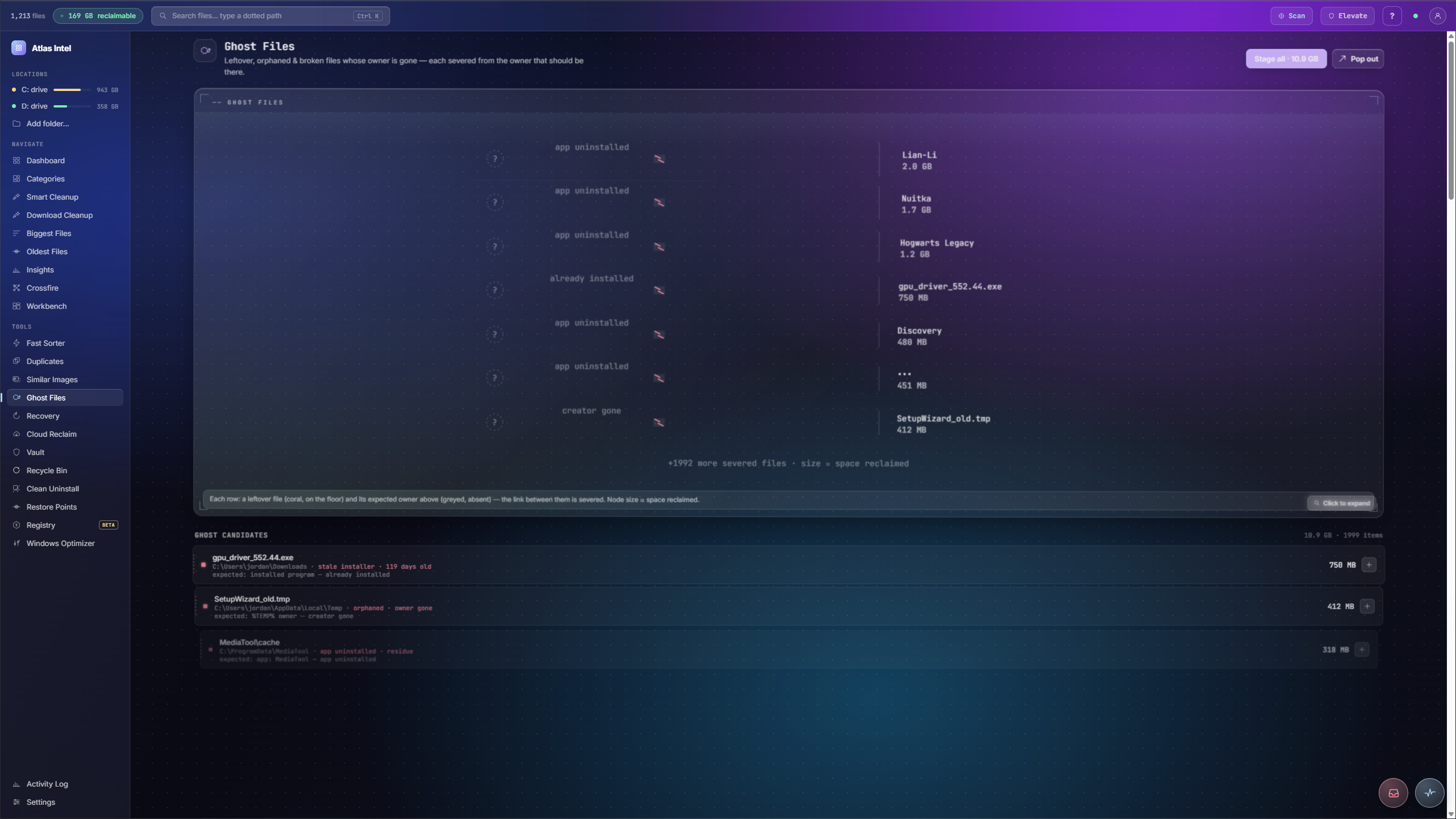
Traces severed links across your disk: files whose owner is gone. Stale installers for programs already installed, residue from apps you uninstalled, dead caches and broken shortcuts. Each candidate is labelled with the owner it lost and why it is safe to remove.
- stale installers
- dead caches
- uninstall residue
- broken shortcuts
What you see while it scans
While Ghost Files traces severed links, it walks the filesystem for orphaned, leftover and broken files whose owner is gone. Every Atlas tool has its own loading animation, drawn from the work it does. This panel plays that animation live, rendered on this page.
Leftovers whose owner is long gone
-
1
Sweep for orphans
Ghost Files hunts for leftovers with no living owner: stale installers, caches and project data from apps you uninstalled months ago.
-
2
See who left them
Each candidate names the app it belonged to and when that app was removed, so a coral note tells you exactly why the file is now an orphan.
-
3
Stage the residue
Stage a single leftover or the whole sweep at once, with a running total of the space it frees.
-
4
Cleared through Safe Delete
Staged ghosts leave through Safe Delete, so even residue you clear stays recoverable if you had it wrong.
Uninstalled apps leave caches and data folders behind, and they pile up invisibly because nothing on your system claims them any more.
The orphaned leftovers surfaced with the name of the app that abandoned them, staged and cleared, still reversible.