Windows Optimizer.
Local search and reversible tweaks.
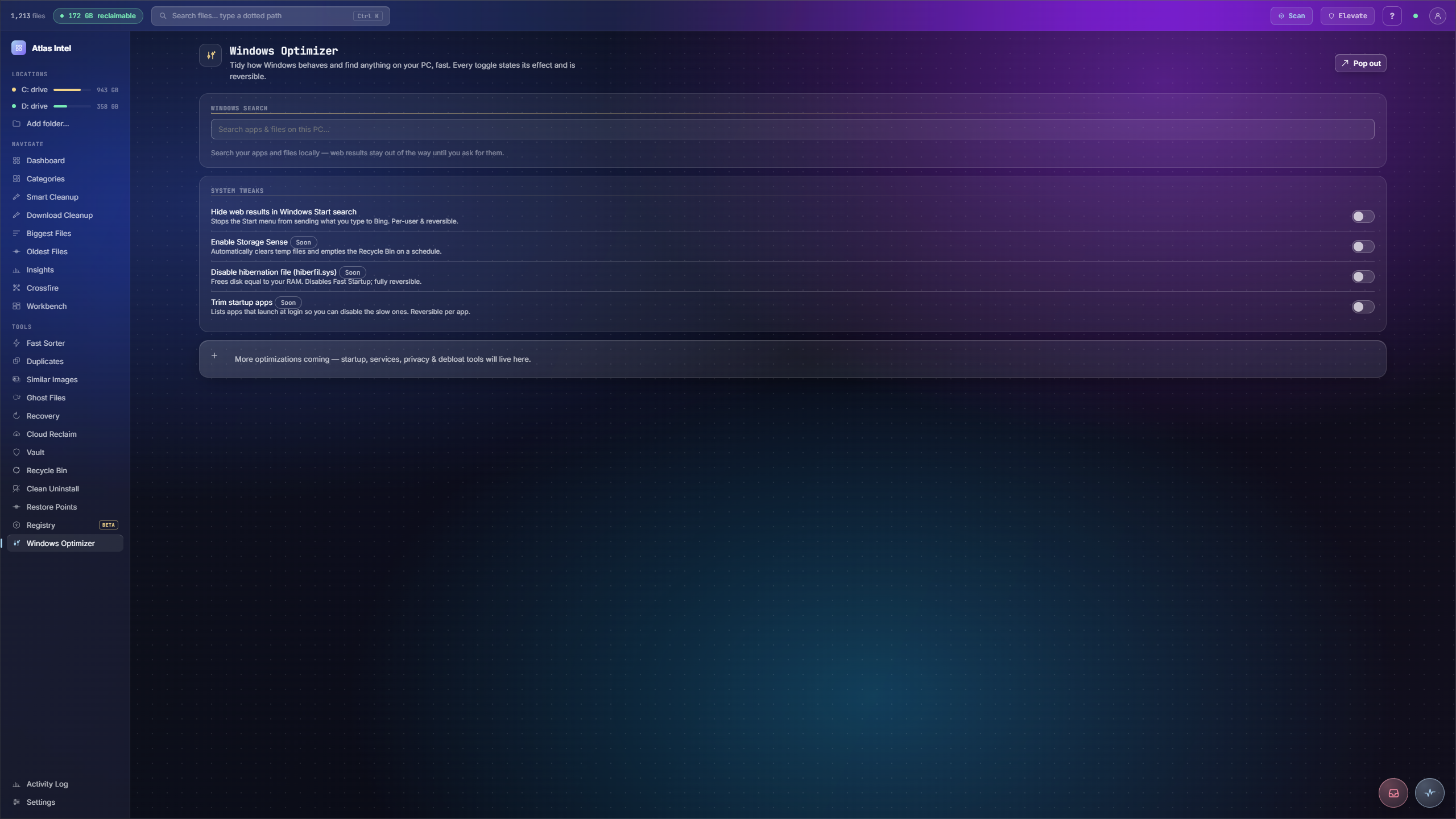
Two things in one place: search your apps and files locally, without web results in the way, and flip a short list of Windows tweaks. Every tweak states its effect in plain language and is reversible.
- local search
- no web results
- reversible tweaks
What you see while it scans
Every Atlas tool has its own loading animation, drawn from the work that tool actually does. This panel plays the one that runs while Windows Optimizer works, rendered live on this page.
Startup, services and a faster search
-
1
Search your PC fast
A local search field finds apps and files across your machine, backed by the index Atlas already built, with launch and open affordances.
-
2
Trim what loads at boot
System tweaks list reversible toggles for startup items and services, each stating exactly what turning it off changes.
-
3
Quieter Start search
Toggle web results out of Windows Start search so a local search stays local, one of several reversible tweaks in one place.
-
4
Everything reversible
Each tweak states its effect and can be switched back, so nothing here is a one-way change to your system.
Windows boots slowly under a pile of startup helpers, and Start search mixes your local files with web results you never asked for.
Startup items and services trimmed with clearly labelled reversible toggles, plus a fast local search across your own machine.