Categories.
Browse storage by what things are.
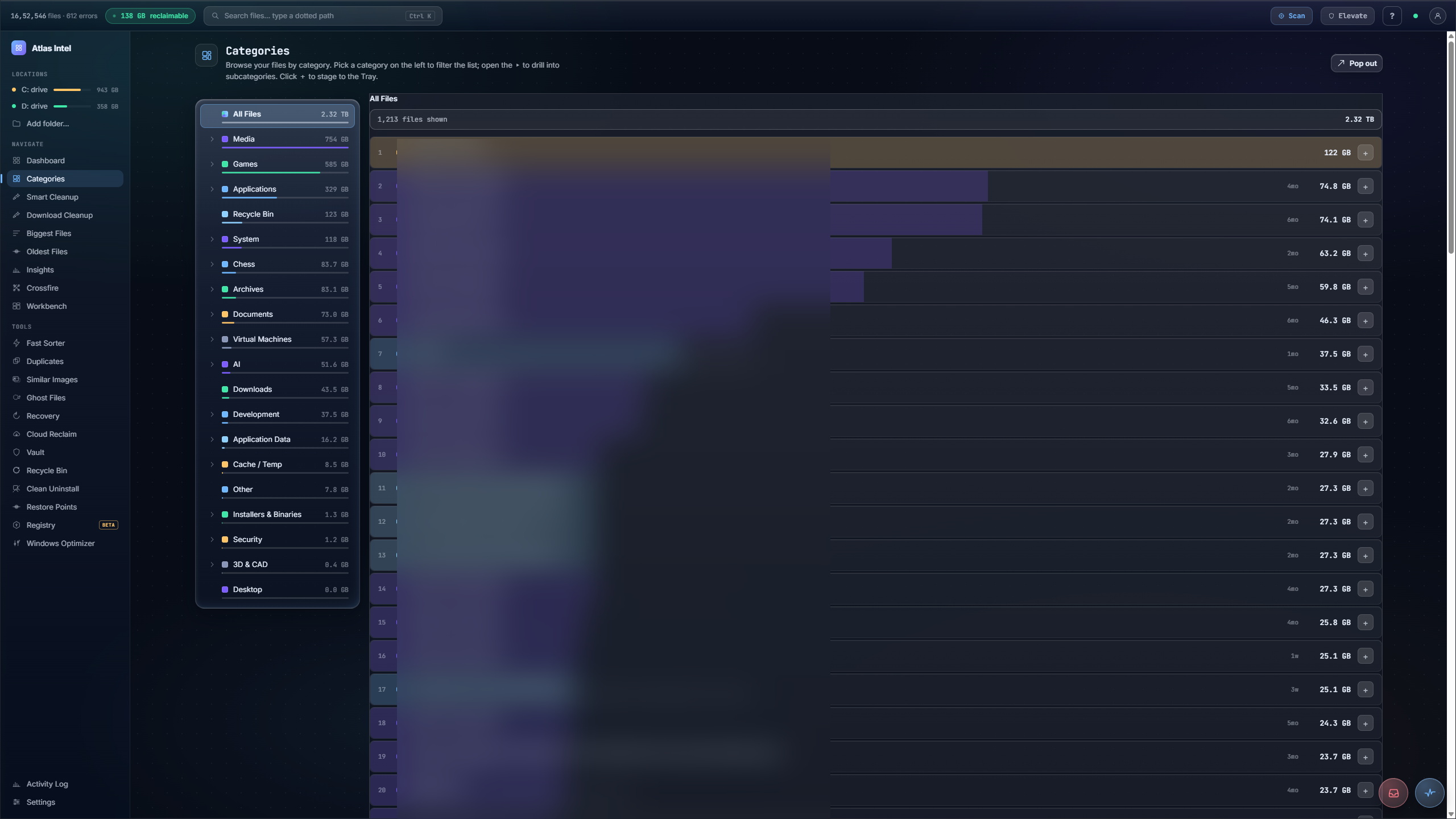
A two-pane browse-by-category view of your storage. A rail on the left lists every class of file, Games, Media, Applications, Documents, System and more, each with its size and a proportion bar so the heavy categories read at a glance. Pick one to filter the file list on the right, open the arrow to drill into subcategories, and stage anything to the Tray to reclaim it.
- browse by type
- size + proportion bars
- drill into subcategories
- stage to the Tray
What you see while it scans
Every Atlas tool has its own loading animation, drawn from the work that tool actually does. This panel plays the one that runs while Categories works, rendered live on this page.
Browse storage by what things are
-
1
Pick a class, not a folder
A left rail lists All Files plus each category: Media, Games, Applications, Documents, Archives, Downloads, System, each with its size and a proportion bar.
-
2
Drill into subcategories
Open a category's chevron to expand its subcategories, so Media splits into the actual kinds of media eating your disk.
-
3
Ranked files in the right pane
Selecting a category shows its files largest first, as ranked ladder rows, with a breadcrumb of where you are.
-
4
Stage from the list
Each row has a plus that stages it straight to the Tray. Browse by what a file is, instead of hunting through a folder tree you half remember.
You know your disk is full but not with what, because everything is buried in a nested folder tree organised by where you happened to save it.
Storage laid out by type, every category sized and rankable, the biggest offenders one click from the Tray.