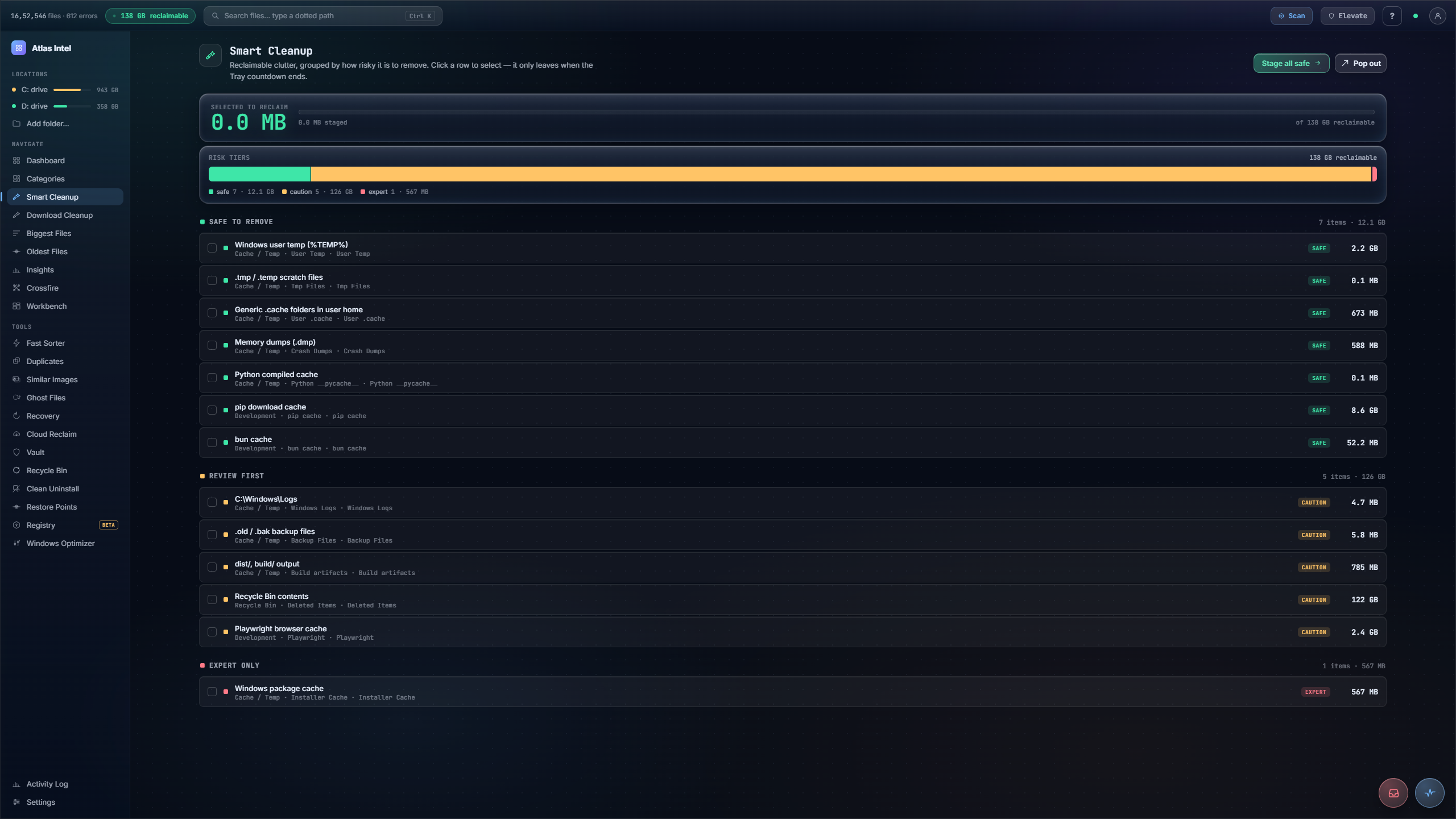
Smart Cleanup.
Reclaimable clutter, grouped by how risky it is to remove.
Caches, temp files, installer leftovers, and other reclaimable clutter, each graded by how safe it is to remove. Stage the tiers you trust. Nothing is erased on the spot: staged items wait in the Tray on a countdown, and every reclaim goes to the Recycle Bin, so it stays reversible.
- Safe / Review / Expert tiers
- staged via Tray
- reversible
What you see while it scans
Every Atlas tool has its own loading animation, drawn from the work that tool actually does. Here a sweep beam grades reclaimable files into Safe, Caution, and Expert bins, the same three risk tiers you sort by once the scan lands. It is rendered live on this page.
Clutter, grouped by how safe it is to remove
-
1
Junk grouped into risk tiers
Reclaimable clutter is sorted into three tiers: Safe to remove, Review first, and Expert only. A spectrum bar shows how much sits in each.
-
2
Stage the tiers you trust
The safe tier is pre-selected; toggle the others in as you like. A running readout shows exactly how much you have staged to reclaim.
-
3
It leaves through the Tray
Reclaim moves staged items to the Tray, which runs a countdown before anything actually leaves. You can undo the whole thing while the counter is still going.
-
4
Reversible even after
Reclaimed items still route through Safe Delete, so they remain recoverable from the Vault after the Tray countdown ends.
Temp folders, caches and log files bloat over time, but blindly emptying them risks deleting something a program still relies on.
Clutter separated by real risk, the safe wins staged in one click, and a countdown plus the Vault standing between you and any regret.