Recovery.
Reclaim space, graded by how risky it is to remove.
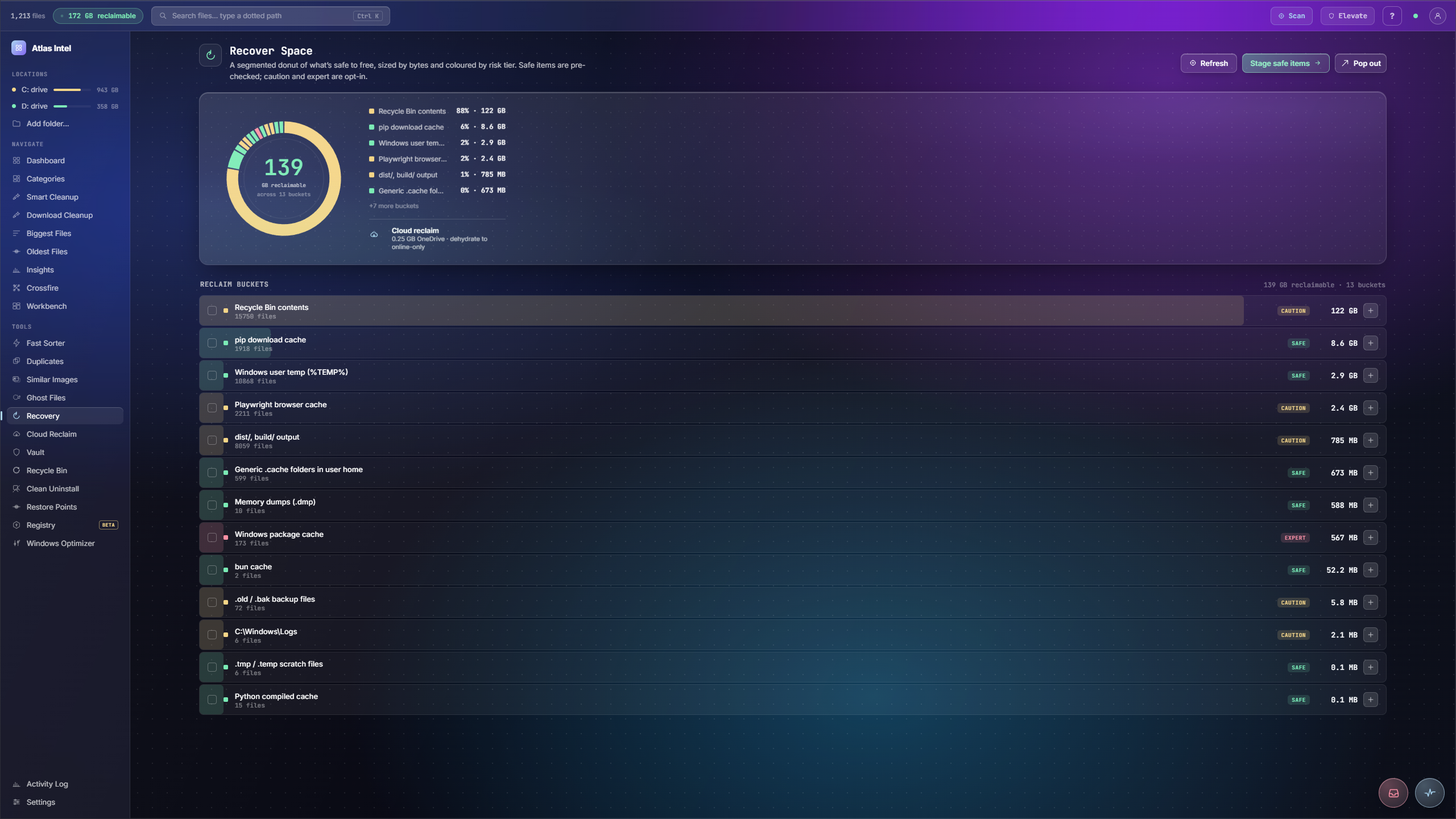
Recovery draws a segmented donut of everything that is safe to free, each slice sized by bytes and coloured by risk tier: Safe, Caution, Expert. Safe caches are pre-staged so you clear the easy wins in one click. Caution and Expert stay opt-in, so you never touch what you should not.
- sized by bytes
- graded by risk
- safe items pre-staged
What you see while it scans
Every Atlas tool has its own loading animation, drawn from the work it actually does. This is the one Recovery plays while it calculates reclaimable space and grades what is safe to free into Safe, Caution and Expert tiers, rendered live on this page.
Reclaimable space, sorted by risk
-
1
Space grouped by risk
Reclaimable space is bucketed into Safe, Caution and Expert tiers and drawn as a segmented donut sized by bytes and coloured by tier.
-
2
Read the reclaimable total
The centre reads out how much is reclaimable across all buckets, with a legend showing each bucket's share of the total.
-
3
Safe wins pre-staged
The safe items are staged for you, so the easy reclaim is one action away, with the riskier buckets left for you to decide on.
-
4
Everything through the Tray
Staging safe items sends them to the Tray countdown, so even the easy wins remain reversible.
You want to free space but cannot tell which cleanup is genuinely safe and which one might break something you rely on.
Reclaimable space split into safe, caution and expert tiers, the safe wins pre-staged, and every reclaim routed through the Tray.