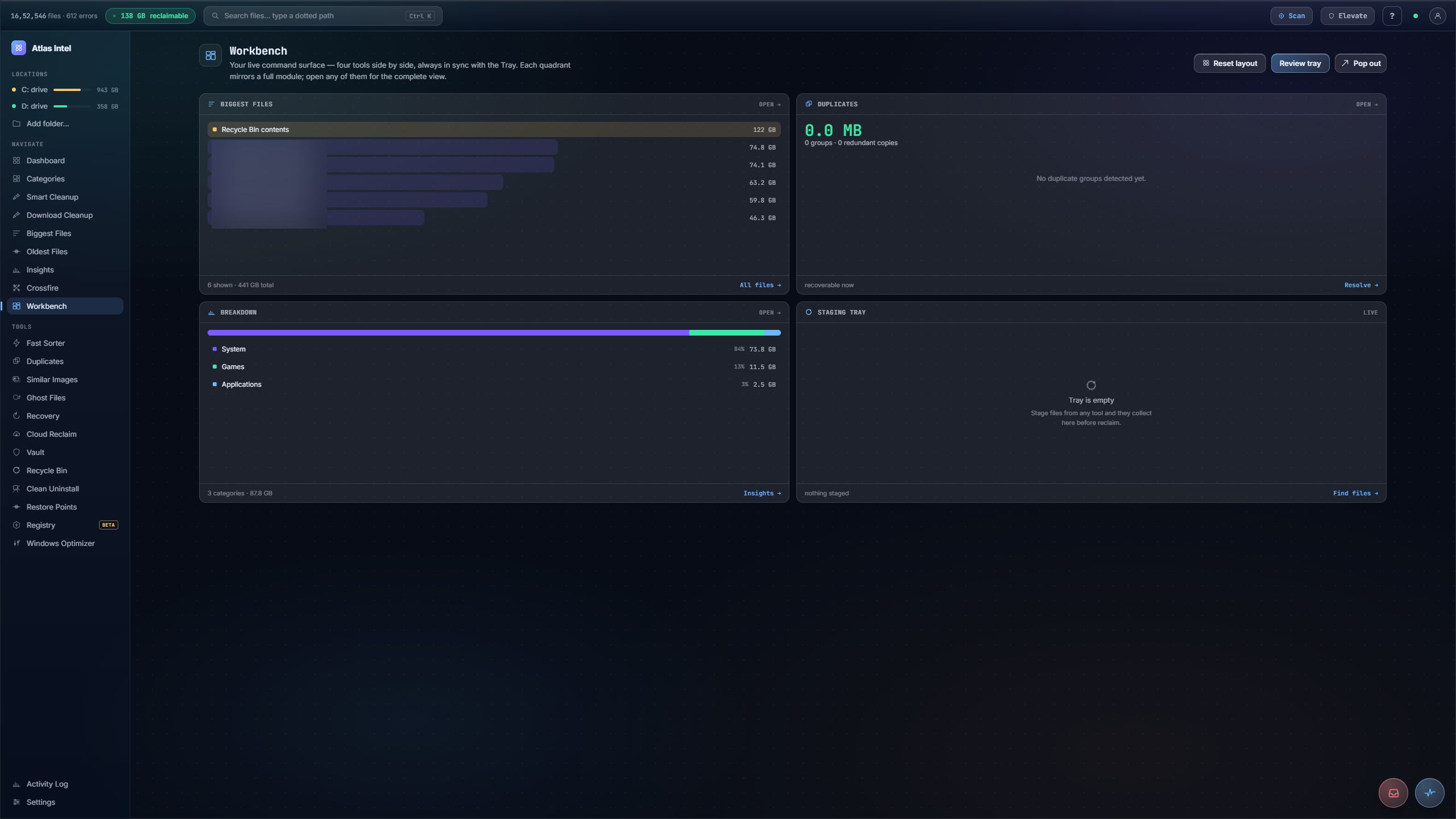
Workbench.
Four tools on one surface, always in sync with the tray.
A live command surface that puts four modules side by side: your biggest files, duplicate groups, the category breakdown, and the staging tray. Each quadrant mirrors a full tool, stays in sync with the tray, and opens to its complete view. Stage a file from any pane and the tray total updates at once.
- four quadrants
- synced tray
- staging surface
What you see while it scans
Every Atlas tool has its own loading animation, drawn from the work that tool actually does. This panel plays the one that runs while Workbench works, rendered live on this page.
Assemble a reclaim batch across tools
-
1
Four synced panes
Workbench is a command surface with quadrants for Biggest Files, Duplicates and a category Breakdown, all kept in sync with one Staging Tray.
-
2
Stage from any pane
Stage a file from any quadrant and the Tray responds immediately: its total, its item list and the counts all update together.
-
3
Review the whole batch
See everything you have gathered from different tools in one place before you commit any of it, so nothing slips through by accident.
-
4
Commit once
Commit the batch and it goes to the Recycle Bin through Safe Delete under a countdown, reviewed once and committed once.
You clean up one tool at a time, losing track of what you already staged elsewhere and committing changes piecemeal.
A batch assembled across Biggest Files, Duplicates and Breakdown, reviewed together in one tray, then committed in a single reversible step.